
Ghosting Me
Occlusion Highlighting is a thing in games, I just didn't know it was called that or how to implement it.

Happy New Year’s Ya’ll!
Continued work this week with something called Occlusion Highlighting. It’s when the player walks behind something and gets obstructed by it… eg. occluded by it. I’ve never actually implemented occlusion highlighting, or even knew it was called that before this… so this was an interesting challenge to take on.
Dither
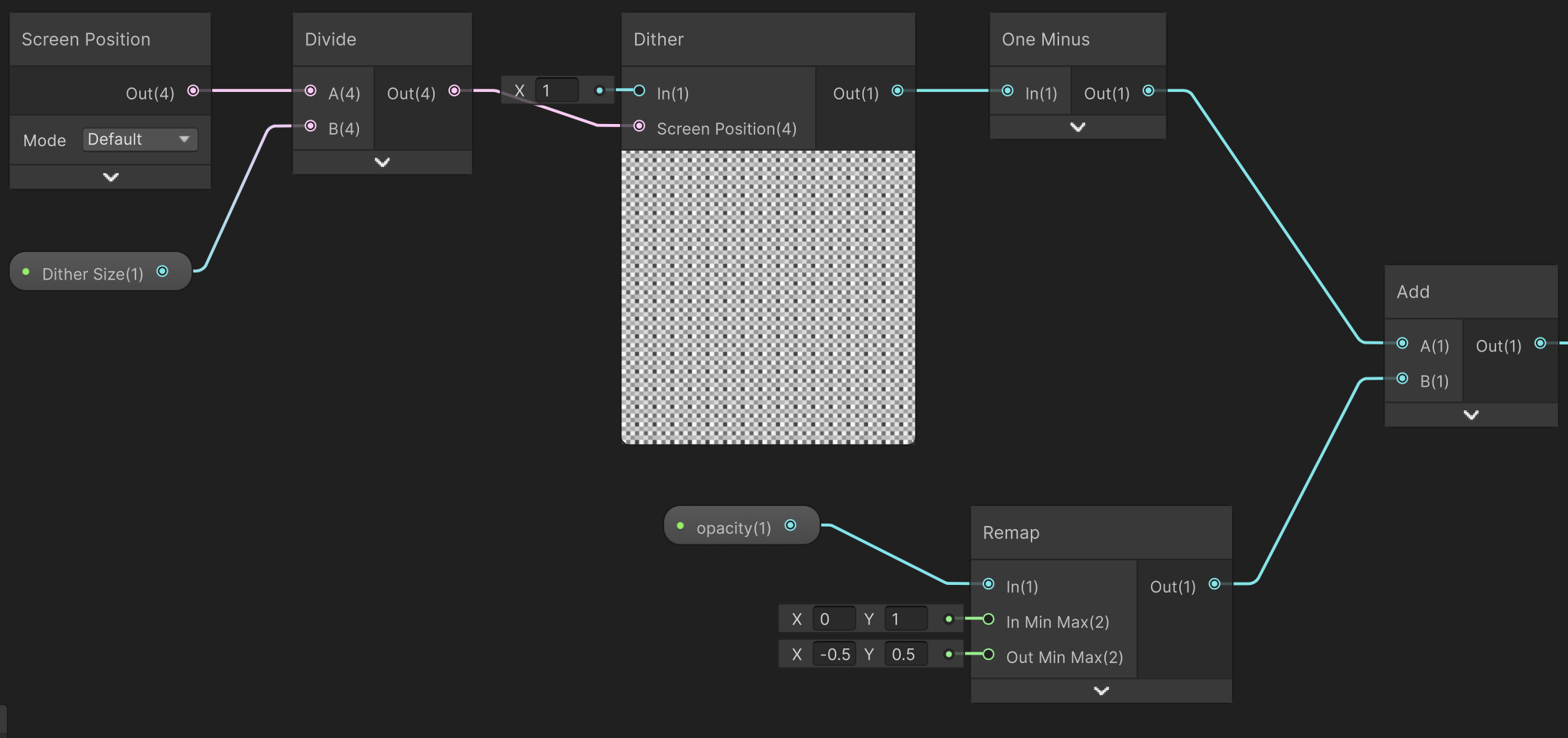
Transparency is a performance killer. It’s one of those things that seems simple until you see your frame rate tank. The alternative is the Dither1 node. It creates that tiny checkerboard pattern… think old-school bitmap graphics on a monochrome monitor…to fake transparency while keeping the object opaque. Unity’s Shader Graph does most of the heavy lifting here because it has a built in node for this. I just had to clean up the screen position logic to make the opacity parameter feel more intuitive.
GPU Render Passes
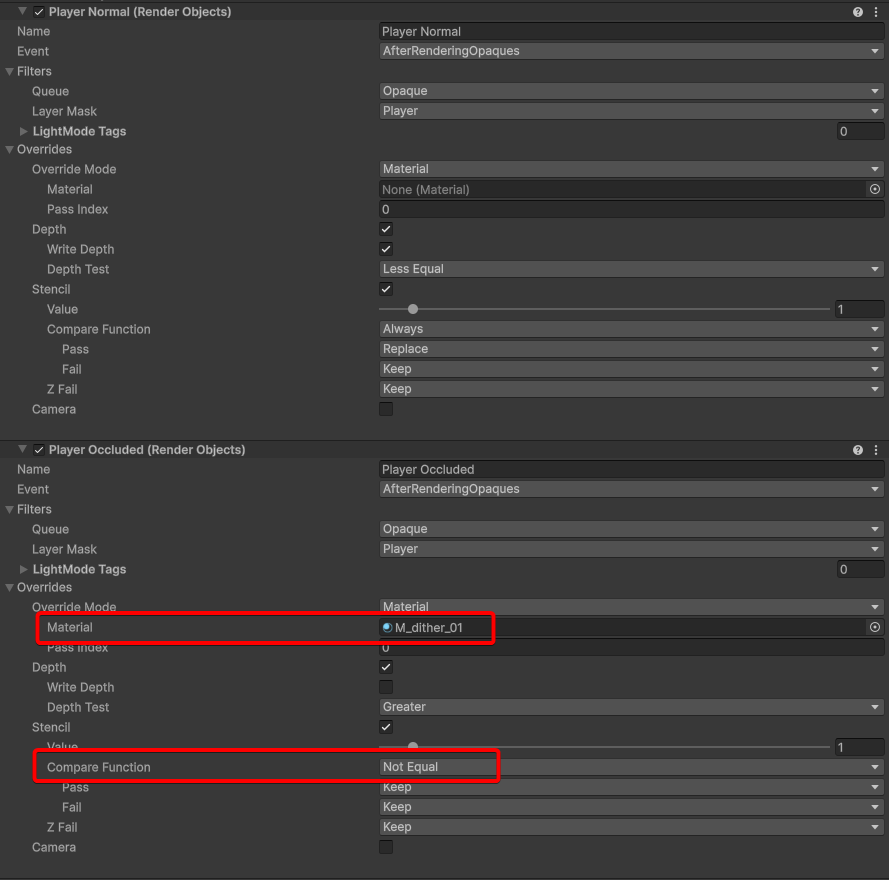
This was the part that felt like game dev is really hard… just real hard to understand and way above my usual pay grade. So what is it? I had to look it up as well. It’s essentially the order of operations for how things get pushed to the GPU. I set up a specific Occluded Pass in the Unity Render Asset to tell the game… Hey, if the player is behind a wall, draw them using that dither shader on top of everything else. At first this was such a mind-bend to get my head around, but when it worked, I finally understood what all those smart game engineers were talking about.
The Player Occlusion Mask
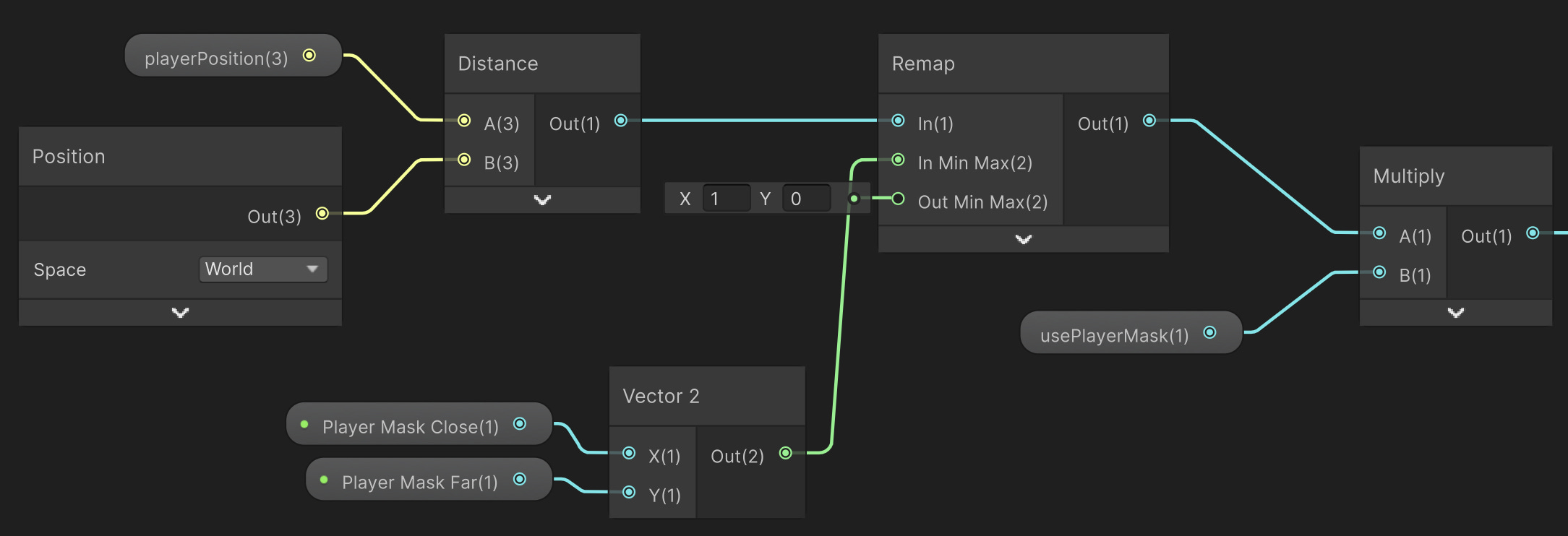
Another option for player occlusion is doing the opposite. Instead of masking out the player, you mask out the material of the occluding volume, in this case we’d mask out the building that is blocking the player. All of this can be done through the shader by basically using the player position to create a bubble around the player.
The Camera Proximity Mask
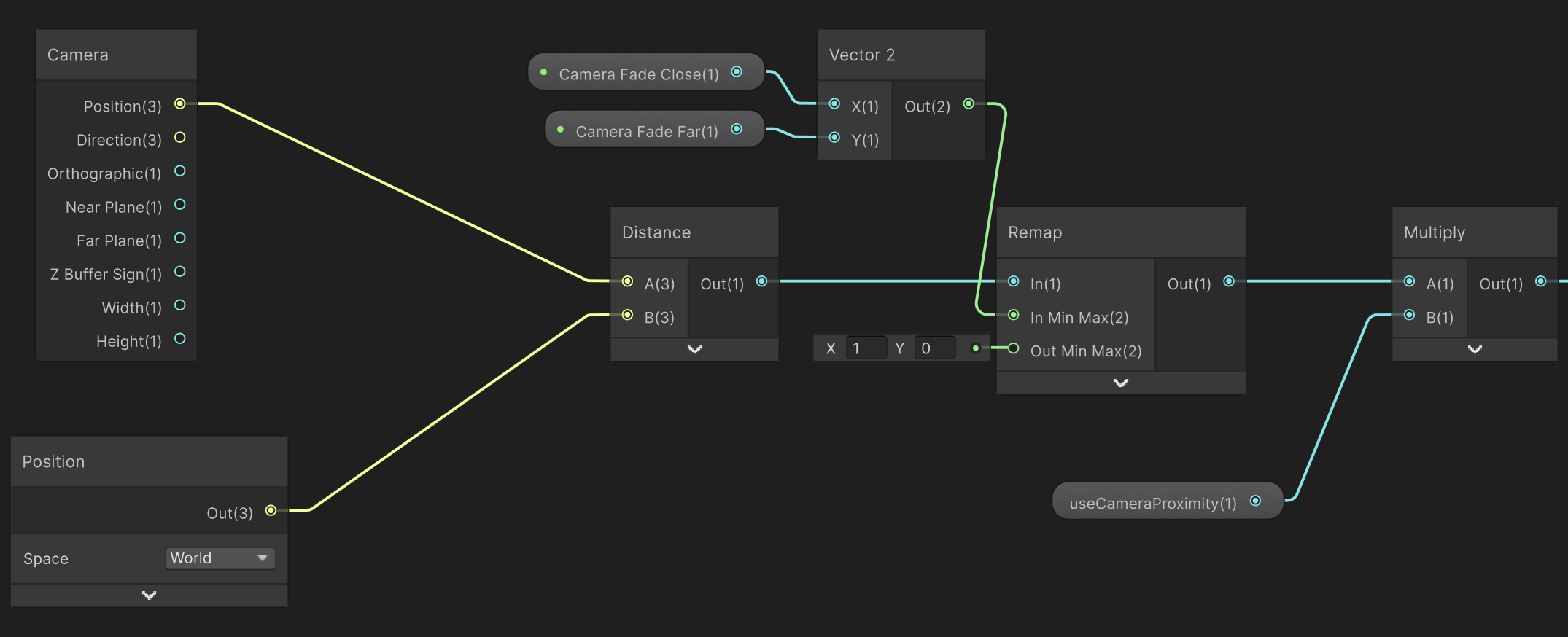
The camera mask is similar to the player mask except instead of the player, we find the distance the object is to camera. This handles those moments where a wall or a tree gets too close to the camera lens and fills the whole screen. The objects themselves sense how close they are to the camera and dither out automatically through the shader.
This one didn’t work out too well in my opinion and needs a little bit more tweaking to get the right effect. I think I might just try to put a simple fade out on the building structures as it nears the camera to keep it simple.
It works-ish… moving on
My mantra of early stage game dev. Okay… I’m not sure which solution is better, or if this will be a solution down the road. It solves the problem temporarily so that we can move on.
Let me know if you have any ideas on better solutions to this problem.
I think I’m stalling on the core gameplay mechanic and need to get that going next. It’s definitely easier for me to fix a shader than to sit down and write the whole game design doc… but I guess I can’t hide behind the walls forever (sorry… dad joke)
A solution is a solution! Nice work 👏